

How to add e-mail on iphone / ipad
- Go to Settings > Mail, then tap Accounts.
- Tap Add Account, tap Other, then tap Add Mail Account.
- Select Other, Add Mail Account
- Enter your name, email address, password, and a description for your account.
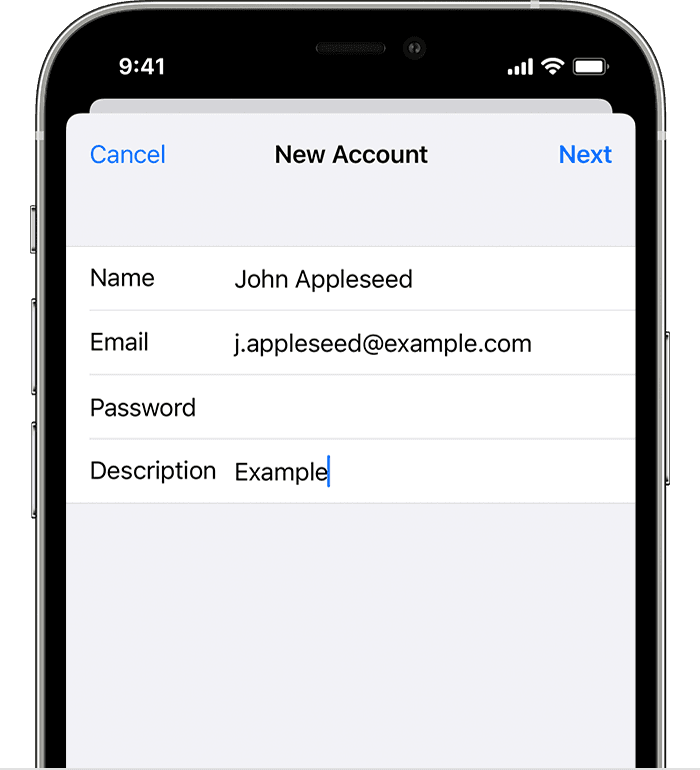
- Tap Next
- Fill in following:
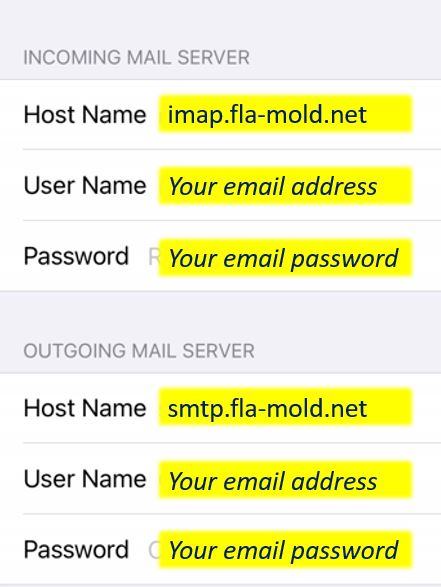
- Tap Next then Save