
How to set up email for Android device using Outlook App
- Down load and install Outlook from app store
- Open Outlook and select ADD ACCOUNT
- Type in your e-mail address and select CONTINUE
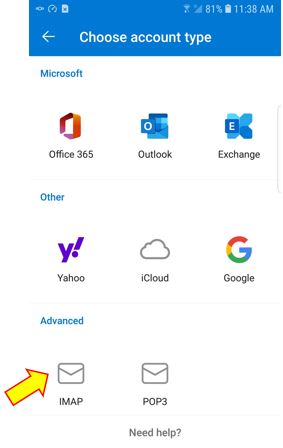
- Select IMAP (see below)
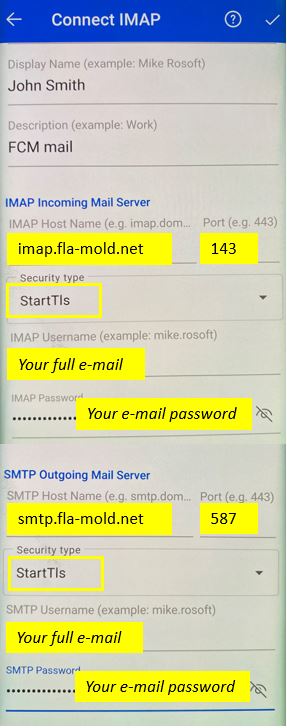
- Fill in settings as below
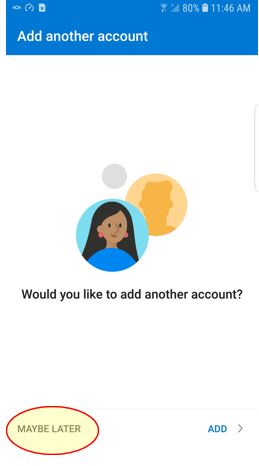
- Select MAYBE LATER on next screen